Monday, Tuesday (10/10/2022 – 11/10/2022)
On my first day after the welcome week, the class started with introducing the course, what we will have to achieve and what is expected of us within the coming weeks of the course.
We were then given our first task of thinking of our favorite games to make a flow chart out of them. For me, I chose a game I have recently been playing a lot of, F1 2021.
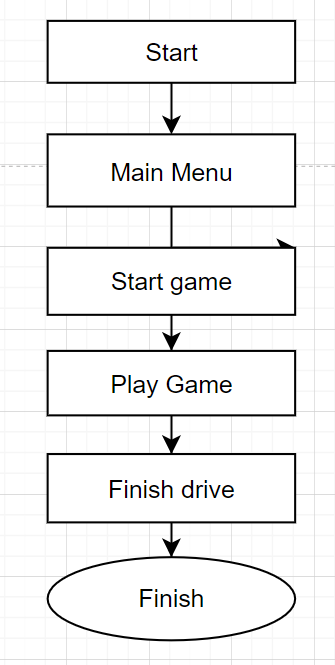
I started with a small and simple flow chart with no mechanics and only processes to get to the end of the game. This was just to start me off with understanding the draw.io mechanics and options.
Once I was confident enough to use the website properly, I made a second chart with sequences, conditions, and iterations all mushed together to make one chart, which is down below.
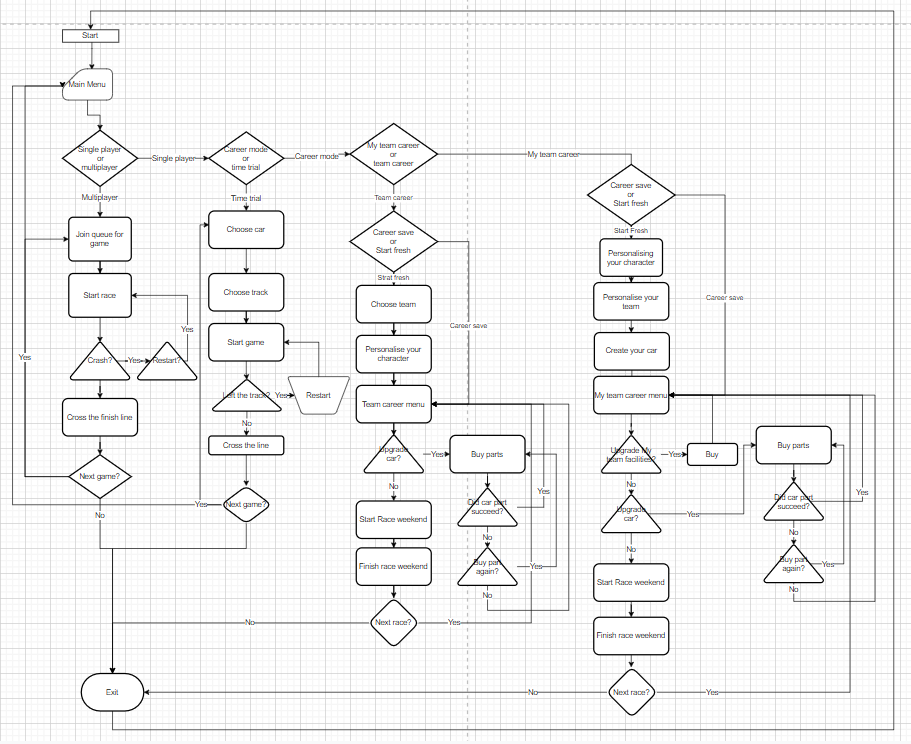
This flow chart consists of the F1 2021 main menu and small game mechanics. The game starts at the start with the loading screen/intro screen, then skips to the main menu where you can pick which part of the game you would like to play. The flow chart would go through each of the choices and processes to get to the finish of the race weekend before it asks the player for the next game or to quit the game.
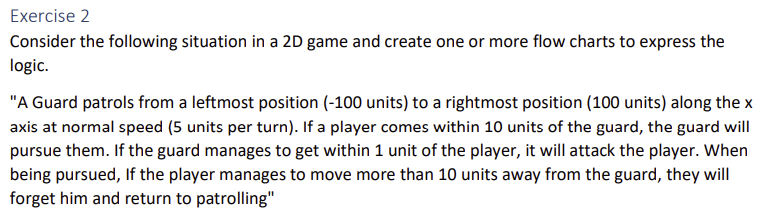
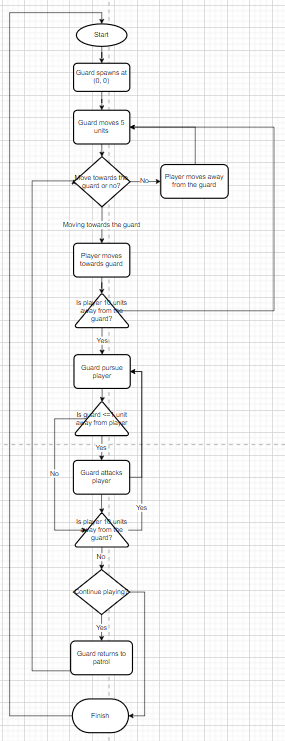
After I was instructed to make a flow chart of a specific game the specification tells us. Excersise instruction below.
With the time of studio work and time at home, I was able to complete a sequence flow chart which has simple start, moving, detect, pursuing and finally attacking.

Then I created a conditional flow chart where the player decides if they want to move towards the guard, if they do, then the player will ultimately be pursued by the guard and attacked, however, if the player moves away from the guard, then the chart finishes.
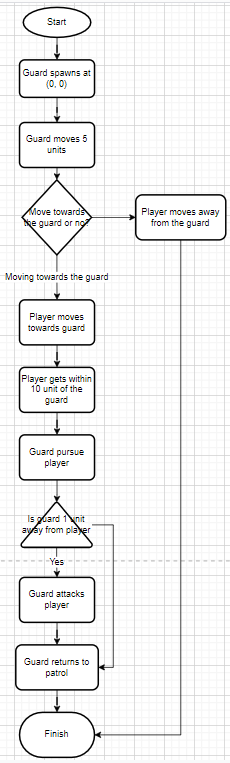
Then with the time I had left of the class and in my own time at home, I was able to complete an iteration flow chart where the player decides on it’s movements and the program will loop on itself and decide whether the player is close enough to the guard for it to pursue the player and possibly attack it.
To extend on this I will get used to the mechanics of a flow chart and find new things on the course to make flow charts out of to explain them on the blog.
Wednesday (12/10/2022)
On Wednesday we started learning about Javascript, its uses of it, and what simple functions we can use. This was then followed by using the ‘Visual studio code’ application to code the following worksheets.
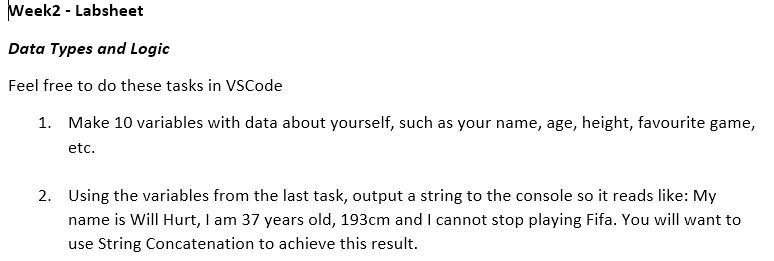
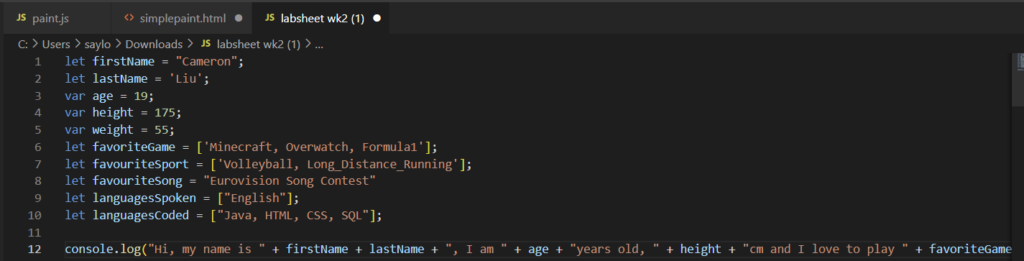
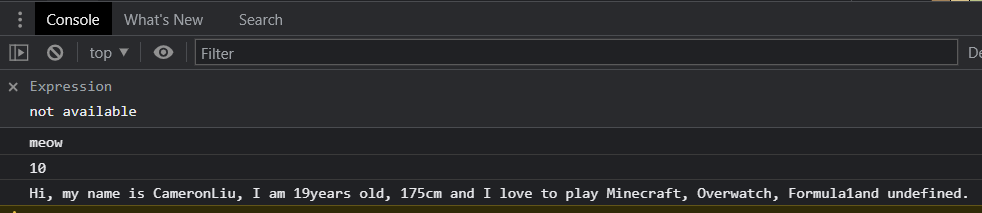
I was able to complete these tasks with the remaining time I had left.
To extend my learning I will do the extra worksheets in my spare time to increase my knowledge and practice on javascript to become more fluent.
Thursday (13/10/2022)
On Thursday we was online for the whole day with the first lesson being with Myles Rich. He went over the lecture slides of the brief history of two dimensional games where he explained how some of the games was made using the technology back in the day and the graphics that was used. In addition, we discussed other popular and less popular two dimensional games that are in common with the example games Myles showed us.
Our second lesson was with George where we all shared out flow charts and gave each other feedback of how good it was and what we could improve on. I then went into break rooms with my other classmates and we all shared our flowcharts to do another feedback session and we discussed the parallels between our flowcharts and the code we have done so far.
Reference’s
Flow chart diagram application: https://app.diagrams.net/